ZenViewer
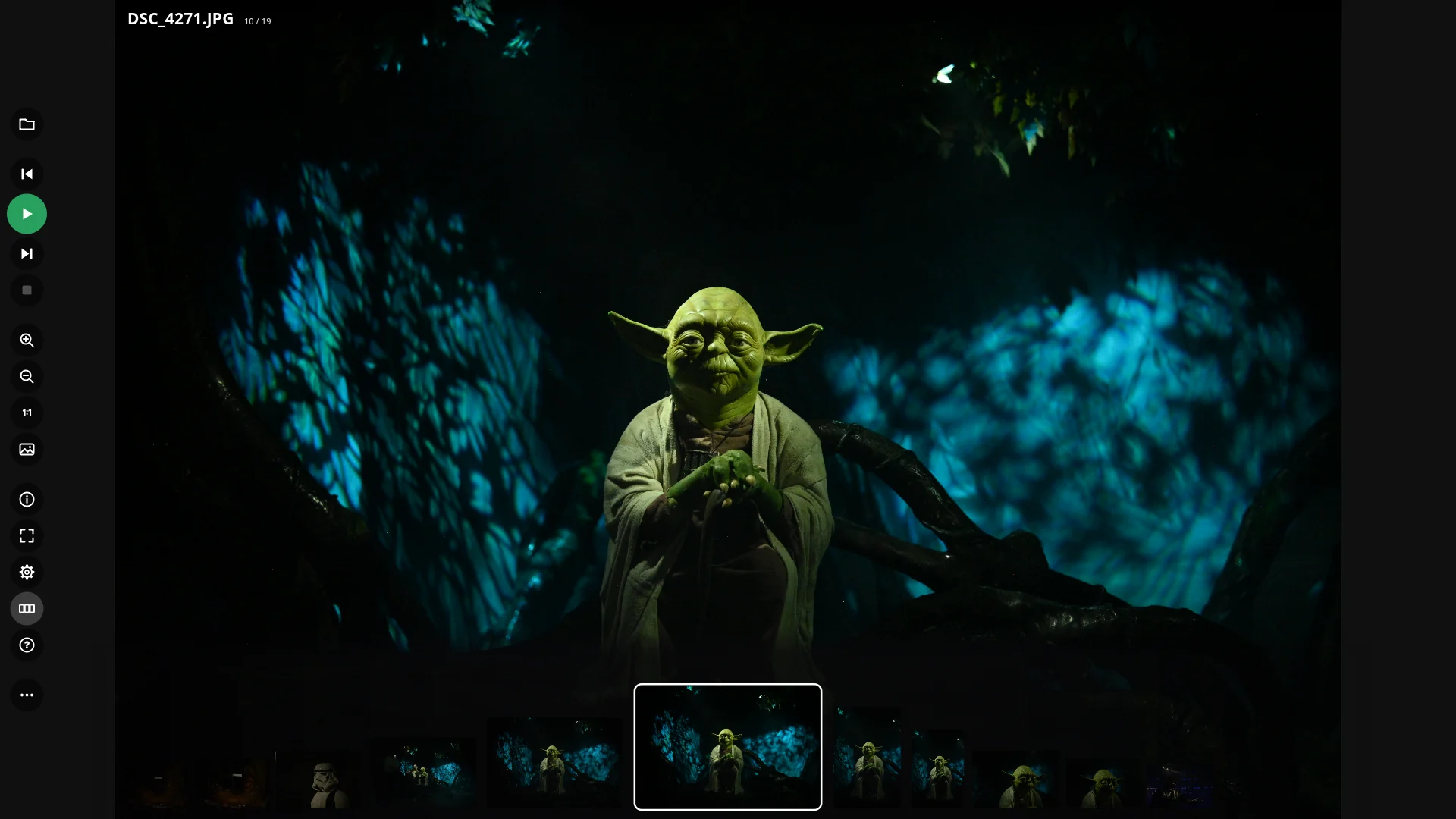
A small image viewer for Linux and Windows. Move the mouse to the left edge of the window for the icon bar, or to the bottom edge for thumbnails. Press H for help. That's all!
Download & install
GitHub
- Repository github.com/ThatOvidiu/zenviewer latest source code, any system · then build it, see how
Windows
- Zipped folder ZenViewer-0.6.0-windows-x64.zip 64-bit Windows 10 or 11 · unzip anywhere and run zenviewer.exe
- Installer ZenViewer-Setup-0.6.0.exe 64-bit Windows 10 or 11
- Source code zenviewer-0.7.0.tar.gz build it yourself with Visual Studio and Qt, see how
Linux
- Source code zenviewer-0.7.0.tar.gz build it yourself, see how
- Debian / Ubuntu package zenviewer_0.7.0_amd64.deb Debian 12+, Ubuntu 24.04+ · x86-64 · sudo apt install ./zenviewer_0.7.0_amd64.deb
- Ubuntu PPA ppa:ovialb/zenviewer
Ubuntu 24.04 LTS, 26.04 LTS, 26.10 and derivatives · x86-64 · updates come with the system's updates
sudo add-apt-repository ppa:ovialb/zenviewer · sudo apt update · sudo apt install zenviewer - Bundle zenviewer-0.7.0-linux-x86_64.tar.gz folder with its own Qt · x86-64, glibc 2.35+ · unpack, then run zenviewer/install.sh to add it to the app menu
- Flatpak zenviewer-0.7.0.flatpak any distribution with Flatpak · flatpak install --user zenviewer-0.7.0.flatpak
Usage
ZenViewer also starts from a terminal, with these command-line options. Put a path that contains spaces in quotes.
Linux bash, zsh, fish and other shells
$ zenviewer                    open the viewer
$ zenviewer path/to/images     open an image or a folder
$ zenviewer -h                 list the keys and mouse actions (H in the app)
The zenviewer command is on the PATH once a build from source, the .deb package or the PPA is installed, or once the bundle's install.sh has run (see below). The Flatpak starts with flatpak run io.github.zenviewer.ZenViewer.
Windows Command Prompt (cmd) and PowerShell
> zenviewer.exe                      open the viewer
> zenviewer.exe C:\path\to\images    open an image or a folder
> zenviewer.exe -h                   list the keys and mouse actions (H in the app)
From the unzipped folder, as shown for Command Prompt. PowerShell only runs programs from the current folder with .\ in front: .\zenviewer.exe -h. The installer puts it in %LOCALAPPDATA%\Programs\ZenViewer, or C:\Program Files\ZenViewer when installed for all users, and adds it to the Start menu.
On both systems you can also drop a file or a folder into the app.
Add it to the app menu (Linux only)
$ ./install.sh                 menu entry, "Open with" for images, the zenviewer command
$ ./install.sh --uninstall     take them out again
For the bundle, from its folder. A build from source gets its menu entry from sudo cmake --install linux/release/build (see how to build it). The Flatpak, the .deb package and the PPA add their own.
About
ZenViewer
Version 0.7.0
A lightweight image viewer
© Ovidiu Albu, since 2026 and for all time
Free software under the MIT License
Built with Qt 6 (LGPL v3)
Linux · Windows
Licences, third-party software and contact: see About.